
Make Database Queries Faster With These Methods – 2026
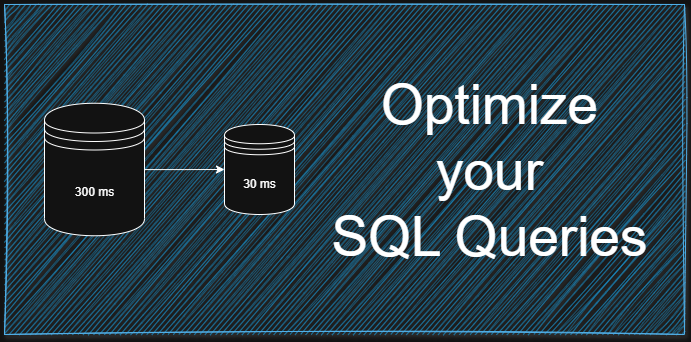
When databases get bigger, how fast they run starts to matter more. One tiny flaw might vanish at first yet shows up bad later on data piles high. Speed hiccups creep in once records stack beyond early tests. That moment? Sharp tuning shifts from option to must. Handling info well turns into the backbone of smooth operation.
Picture tweaking how databases work, so they respond quicker when apps ask for data. This post dives into hands-on methods that speed up query results in everyday software use. Instead of theory, it focuses on changes you can apply directly where performance matters most.
Table of Contents
Why Databases Slow Down
Most times, slowness comes from how queries are built, not the database code. To boost speed, first learn what makes databases drag their feet. Poor design sneaks in trouble just as much as clumsy questions do.
Most times, too much data slows things down if the setup isn’t smart. Scanning extra records happens when indexes are gone or weak. Queries that drag pull everything into view without reason. Slower replies pop up because of cluttered design. Performance dips each time the path through info is messy.
Getting things done faster means cutting out extra steps so the system can grab what it needs without delay. Efficiency grows when only essential actions remain in play.
Why Good Indexing Matters
Most folks overlook how much faster databases can run – until they try indexing. Picture it as a trail marker inside your data, steering queries straight to what they need. Instead of wandering through each entry, the system jumps right where it should be.
Every time there is no index, the database scans everything – slowness hits harder when more records pile up. Yet when indexes are set right, finding data takes far less time.
Only add indexes when a column gets searched often, otherwise extra ones tend to drag down how fast new data goes in or changes happen.
Writing Efficient Queries
It’s often bad query structure that drags things down. When extra data gets pulled – or logic becomes too tangled – everything slows hard.
Grabbing just what you need cuts down load time. Specific column picks beat blanket requests because they lighten the workload. Efficient searches skip extra data by focusing on exact requirements.
Besides, running the same query over and over within a loop piles up extra weight on the database.
Avoid Full Table Scans
Every single row gets checked by the database during a full table scan. When there’s lots of data, that method burns too much time.
Most of the time, skipping full table scans means shaping requests smartly. When filters line up right, indexes do more work without extra effort. A well-built question often cuts through data like a path already cleared.
Caching speeds up access
Caching means keeping often-used data in a short-term memory space. When the system needs info, it pulls from that spot rather than hitting the database again – speeding things up noticeably. Faster access happens because reading from nearby storage beats repeated queries every single time.
When apps ask for the same info again and again – like who a person is or what items are available – it really helps. Getting details like user info or catalog entries becomes smoother when repeats happen.
When data gets stored temporarily, the database doesn’t have to work as hard – response speeds jump right up.
Optimizing Database Structure
Most times a tidy setup keeps things running smooth. When the layout fails, extra copies of info pile up, searches get messy, then everything drags behind.
Chunks of data split into smaller tables tend to run smoother. When info spreads out this way, handling growth feels less like wrestling a octopus. Related pieces stay linked without dragging down speed. Scaling up becomes simpler when each part has room to breathe. Bigger systems behave better once clutter gets trimmed. Organization shifts from messy piles to clear sections. Performance climbs as strain on one big table fades away.
When data gets normalized just right, it lives where it should – mess drops, repeats fade. One spot fits one fact, so clutter slips away.
Limiting Data Retrieval
Sluggish results often come from pulling more data than necessary. When just a sliver matters, grabbing everything drags things out. New users tend to bring in full tables without thinking twice.
Bursts of data, split by pages, ease the load on processing systems. When chunks replace floods, responses come quicker because the app handles less at a time.
Choosing Correct Data Formats
Out of all choices, picking the right data type affects speed more than most expect. Smaller fits mean less space used – this also speeds up lookups without extra effort. Efficiency climbs when format matches need, quietly cutting down load times.
Take numbers saved as text – they might drag on math tasks plus matching steps. Right data kinds push smoother work inside databases.
Tracking How Things Are Working
Fixing things once won’t keep everything running smoothly forever. Watching how databases behave over time helps spot sluggish requests before they grow worse.
Running slow? Some software spots heavy-duty requests dragging down speed. That one shows exactly where tweaks will ease the load. Resource hogs stand out fast.
Final Thoughts
When databases slow down, apps feel sluggish too. Bigger data means tiny flaws get magnified fast. Smooth scaling needs smart tuning early on.
Start smart – right indexes make fetching data quicker. Queries run smoother when they’re built well. A solid setup helps everything flow better. Caching steps in to reduce repeat work. Speed jumps up, downtime drops down.
Start with clever structure, then add strong parts – speed climbs when both work together. Watch how small tweaks stack up over time, turning shaky setups into solid performers under pressure. A steady hand on queries often matters more than raw power alone.
Also Check Beginner Database Errors To Know In 2026